
Unwrapped ortho (cylinder / truncated cone)
Turn cylindrical and truncated-cone structures such as chimneys, tanks and silos into a single unwrapped image from a 3D model — with an illustrated look at how cylinders and cones unroll.
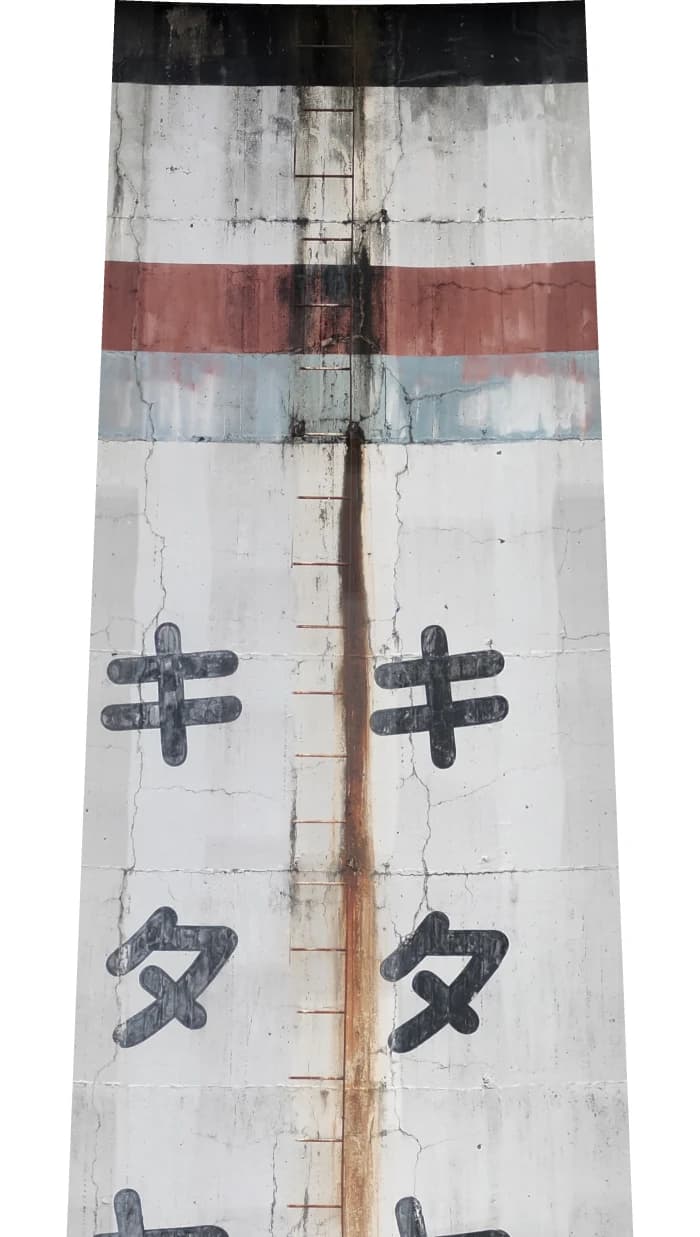
All the way around,
laid flat like paper.
In this chapter you will learn to
- Unwrap a chimney or tank into one image
- Check that the estimated shape fits
- Make visible and infrared unwraps together
- Measure at real-world size on the unwrap
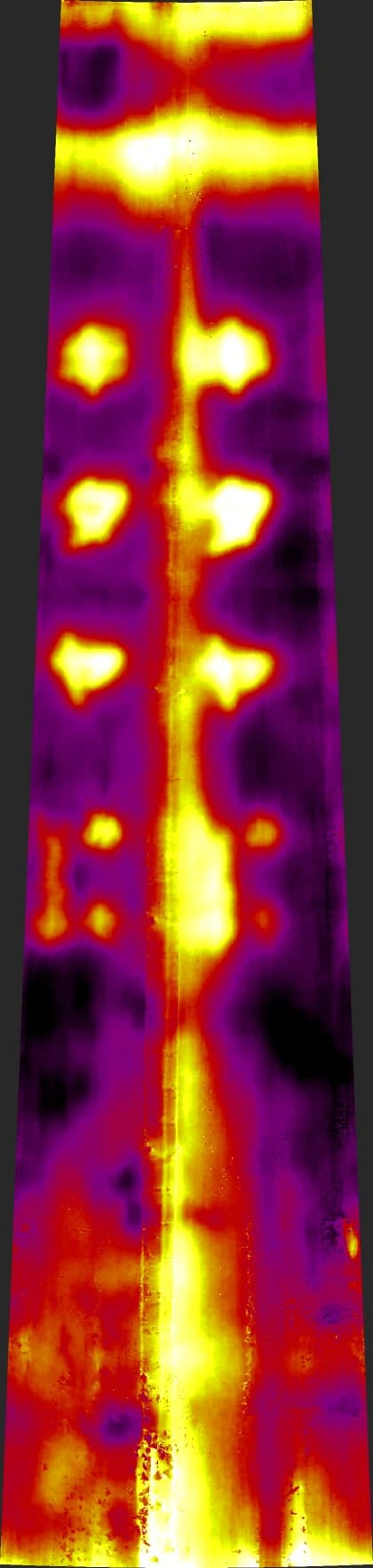
Even a tapered chimney can be unwrapped into one image of its whole circumference, with its shape estimated from the 3D model. Lettering, rust streaks and rows of warm spots all fit in one view, all the way around.
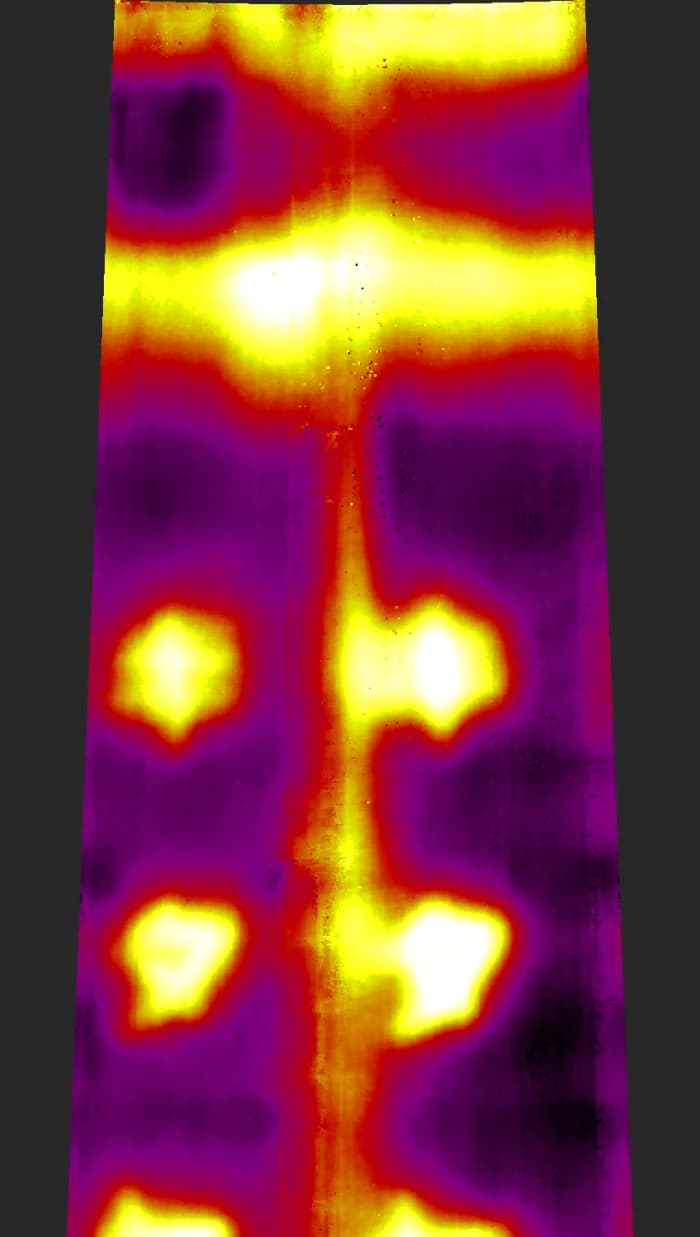
What is an unwrapped ortho?
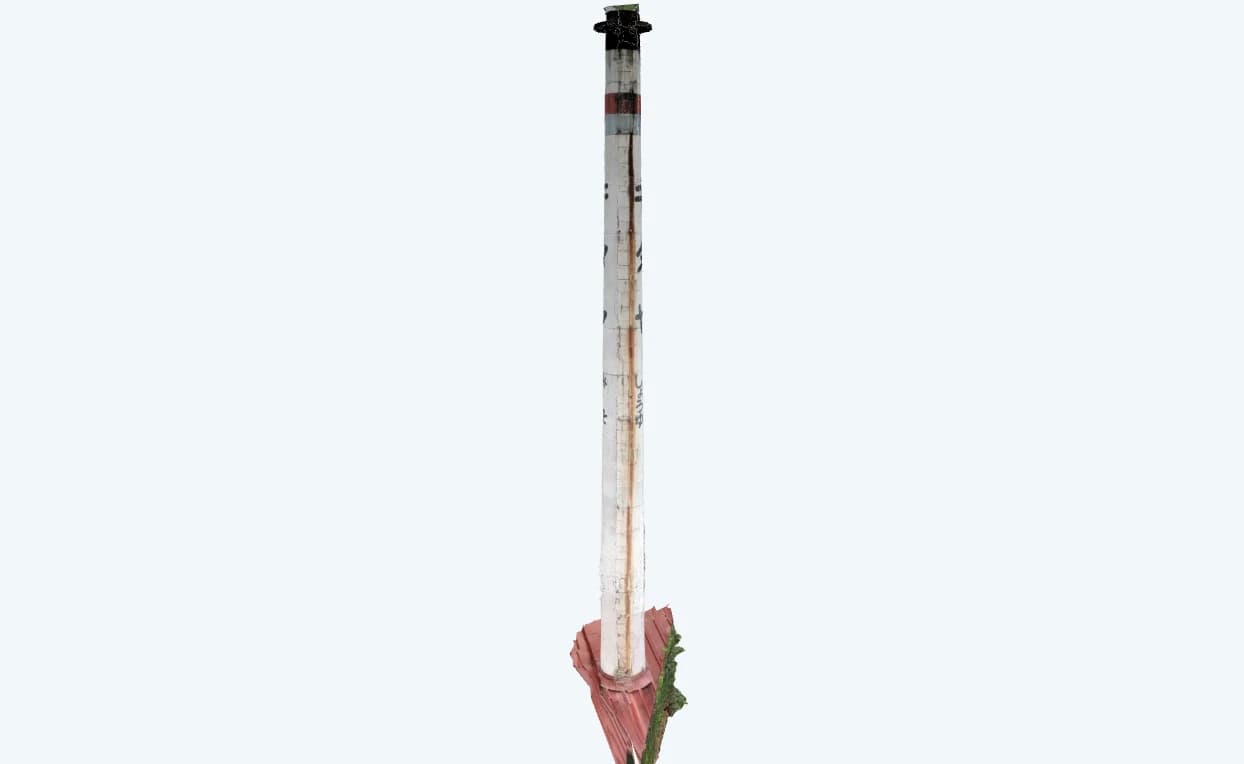
Structures with curved walls — tanks, silos, chimneys, round buildings — cannot be unwrapped correctly by the usual orthomosaic generation, which assumes flat planes. Generating one orthomosaic per face leaves the curved parts stretched or broken up.
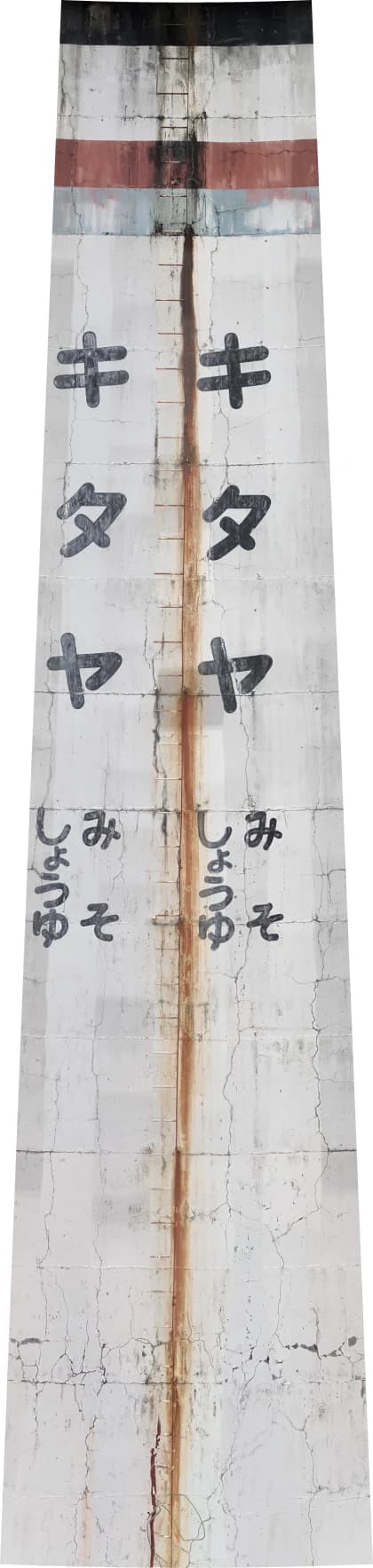
An unwrapped ortho estimates the shape of the target from the 3D model (a cylinder, or a truncated cone such as a tapered chimney), projects the images onto that surface, and unwraps the full circumference into a single image. In the output, the horizontal axis is arc length around the circumference and the vertical axis is height. A cylinder unwraps to a rectangle and a truncated cone to a fan shape, so lengths and areas measure at real-world size.
What is unwrapping? Cut it, then open it out
Picture a paper tube. Make one vertical cut with scissors and open it out, and the tube becomes a single rectangle: its width is the tube's circumference and its height is the tube's height. That is why the unwrapped ortho runs "around the circumference" horizontally and "height" vertically — and why its left and right edges are the two sides of the same cut.
Cut a truncated cone, such as a tapering chimney, the same way and it opens into a fan-shaped band. The circumference is shorter at the top, so the top arc is shorter too. Forcing it into a rectangle would stretch the narrow top sideways, so the scale would change from place to place. Opened as a fan, lengths and areas come out at real-world size wherever you measure.
CRITIR estimates the axis and the thickness from the 3D model (for a truncated cone, how the thickness changes with height), paints the photos onto that surface, and then cuts it open. Shapes like a bottle, whose thickness is neither constant nor changing in a straight line, can't be opened flat like paper, so they are not supported.
v2.6.0 adds truncated-cone unwrapping. Round buildings with protrusions such as balconies are now handled too — the protrusions are left out when estimating the wall shape — and unwrap quality and speed have been improved.
Launching
Open the wizard from Process ▾ → Image Linking, Ortho, and 3D Generation on the toolbar, then choose Unwrapped Ortho under Other Orthomosaics in the left rail. It applies to the set currently open in the main window.
Unwrapped ortho is a PRO plan feature. See Plans and features for details.
Prerequisites
An unwrapped ortho has more prerequisites than ordinary orthomosaic generation.
| Requirement | Details |
|---|---|
| Image linking (SfM) is complete | Run image linking in the same wizard first |
| A 3D model has been generated | Required, because the 3D model is used for shape estimation and occlusion testing. See 3D models |
| The 3D model matches the current image-linking result | After re-running image linking, regenerate the 3D model as well |
| The full circumference has been captured | The shape cannot be estimated if only part of the structure was photographed |
If a requirement is not met, the Shape check area tells you why. When no 3D model exists, you can go straight to it with the Open 3D Model Settings button in that area.
Shapes whose thickness neither stays constant nor changes linearly with height (bottle shapes, for example) fit neither a cylinder nor a truncated cone and cannot be unwrapped.
Wizard screen
The unwrapped-ortho wizard is a single page, with Shape check at the top and Output Settings below it. Shape analysis starts automatically when the page opens, and Start Generation stays disabled until it finishes.
Shape check
A cylinder or truncated cone is estimated from the 3D model to determine whether the target can be unwrapped. In the top view, confirm that the estimated circle (red) sits on the outline of the target (light blue). For a truncated cone, the top circle (orange) is shown as well.
The following information is shown as the result.
| Item | Description |
|---|---|
| Shape | Cylinder / Truncated cone (narrowing upward) / Truncated cone (narrowing downward) |
| Diameter | Estimated diameter (two values, bottom → top, for a truncated cone) |
| Height range | Height range to be unwrapped |
| Circumference | Length of the full circumference (two values, bottom → top, for a truncated cone) |
| Arc coverage | Proportion of the circumference actually captured |
| Images used | Number of images used for the unwrap |
| Scale | Where the real-world scale comes from (see below) |
Scale can be shown in three ways.
| Display | Meaning |
|---|---|
| Inherited from existing orthomosaic | Uses the scale of an already generated orthomosaic |
| Estimated from GPS (Helmert) | Estimated from the capture positions |
| Unresolved (scene units) | Real-world size is undetermined; diameter, circumference and so on are shown in scene units, and the output mm/pixel is not guaranteed as a real-world figure |
Seeing “Unresolved”? Measure one length first
If the scale shows Unresolved (scene units), register one known distance in Scale settings before generating. The unwrapped image is then based on real-world dimensions, and its mm/pixel can be trusted as a real-world figure.
Output settings
Under Outputs to Generate, choose Visible Orthomosaic (default) or Visible + Infrared Orthomosaic. Choosing infrared also creates a temperature unwrapped ortho (processing takes longer). Infrared cannot be selected for a set with no visible/thermal image pairs.
The output resolution is determined automatically. Once shape analysis finishes, "Automatic resolution: about X mm/pixel" and the estimated output size are shown. Output width is capped at 16,000 px; beyond that, the resolution is adjusted automatically (shown as "resolution auto-adjusted due to size limit").
Starting generation
Click Start Generation to begin the unwrap.
About the output
- The output is a single image with the full circumference of the target unwrapped (horizontal = arc length, vertical = height; a rectangle for a cylinder, a fan shape for a truncated cone)
- Once generated, it is added to the ortho list (Products) with the type Cylindrical unwrap or Conical unwrap
- You can view and measure it in the orthomosaic viewer
- GeoTIFF is not exported — an unwrapped surface has no geographic coordinate system
- For sets whose scale is unresolved, the real-world mm/pixel figure is not guaranteed
3D model
Generate 3D models of buildings and structures such as retaining walls and tunnel portals from photos, map infrared temperatures onto them and inspect them in 3D — with an illustrated look at triangulation.
Scale settings
Give one known length with two points so distances and areas on orthos, 3D models and photos come out in real units — and see why photos alone can't tell you size.