
Analyze DJI thermal images directly in CRITIR, no conversion needed
Skip the conversion step for DJI R-JPEGs. CRITIR analyzes DJI thermal images directly, generates facade orthoimages, and produces reports — all in one app. Cut the cost and time spent on converter tools and conversion services.
Key points
- The problem: DJI thermal images (R-JPEGs) cannot be opened directly in traditional analysis tools such as FLIR Tools.
- Traditional workarounds: Paid converter tools, managed conversion services, and DJI's free tool — each comes with extra cost, extra effort, or missing features.
- The CRITIR solution: Read DJI / FLIR / HIKMICRO thermal images directly, no conversion needed. Orthoimage generation, measurement projection, and report creation are all handled end-to-end in one app.
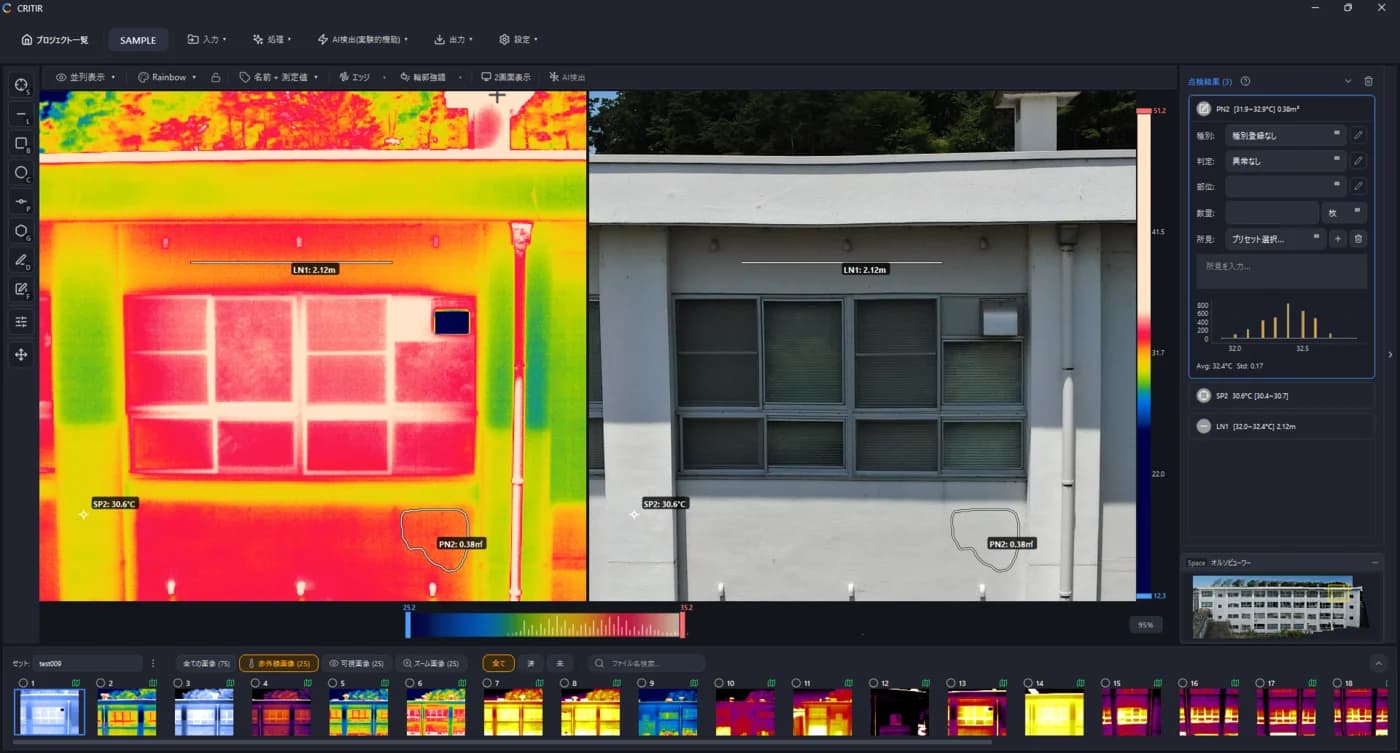
The DJI "conversion problem"
Thermal images captured by DJI drones (such as Matrice 4T / Zenmuse H30T / Mavic 3T / Matrice 30T / Zenmuse H20T / Zenmuse XT2) are saved as R-JPEG files. Temperature data is embedded inside the R-JPEG, but it uses DJI's proprietary format, so traditional analysis software like FLIR Tools cannot read it directly.
As a result, many inspection teams have needed an extra step — converting DJI's R-JPEG into a FLIR-compatible format — just to be able to analyze their thermal data.
Why did conversion to FLIR format become necessary?
Originally, DJI partnered with FLIR and used FLIR sensors in its drone-mounted thermal cameras. After the partnership ended in 2018, DJI moved to its own thermal sensors, and the data format shifted to its proprietary R-JPEG.
As a consequence:
- FLIR Tools cannot read the temperature data.
- Pix4D cannot generate thermal orthomosaics from these files.
- Research Studio cannot perform detailed analysis on them.
This left inspection teams with DJI drones in a difficult position: image capture worked, but the captured data was not usable in their existing analysis software.
The traditional workarounds, and their downsides
A few workarounds have emerged for this problem.
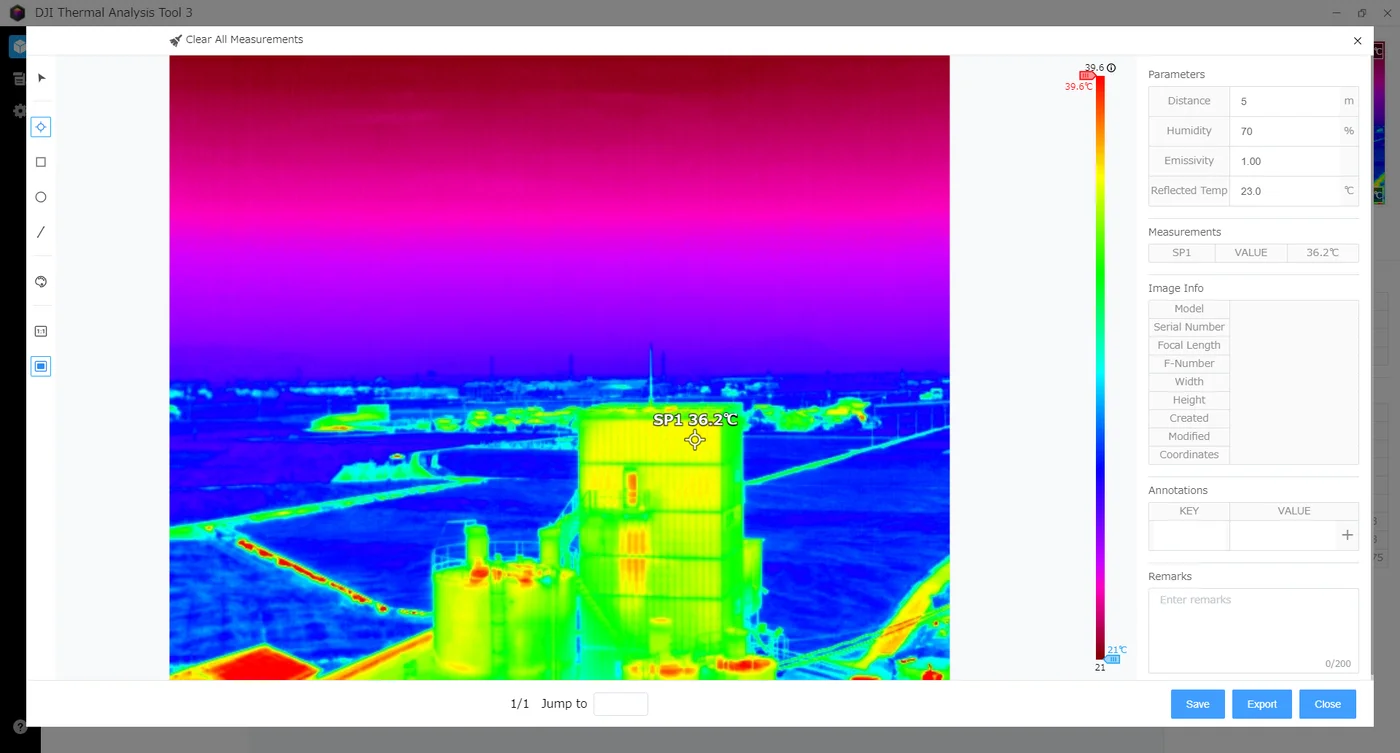
1. DJI Thermal Analysis Tool (DJI's official, free tool)
DJI provides an official analysis tool that can read R-JPEGs directly. However, it is centered on per-image temperature checks and has its limits:
- It supports basic temperature measurement, but the overall analysis experience is weak.
- It is primarily a single-image tool — features like report output are limited.
2. Converter tools
Dedicated tools that convert DJI R-JPEGs to FLIR format. Once converted, the files can be used in FLIR Tools, Pix4D, and so on. The downsides:
- They cost money (some require an annual license).
- The conversion itself takes time.
- Metadata can be lost or corrupted during conversion.
3. Managed conversion services
You can also outsource the conversion to a service provider, but:
- Each project incurs a cost.
- Work stalls while waiting for delivery.
- You may need to send and receive hundreds of images per project.
With CRITIR, no conversion is needed — analyze R-JPEGs as-is
CRITIR is a thermal image analysis software designed to solve these problems at the root.
CRITIR is built to read DJI / FLIR / HIKMICRO R-JPEGs and Radiometric JPEGs natively, so captured images can be analyzed without a conversion step.
What you get by skipping conversion
- Zero cost for converter licenses.
- Zero time spent on conversion (load captured images directly).
- No risk of data loss from re-encoding.
- Start analysis as soon as you are back at the office.
One measurement, projected to every related view
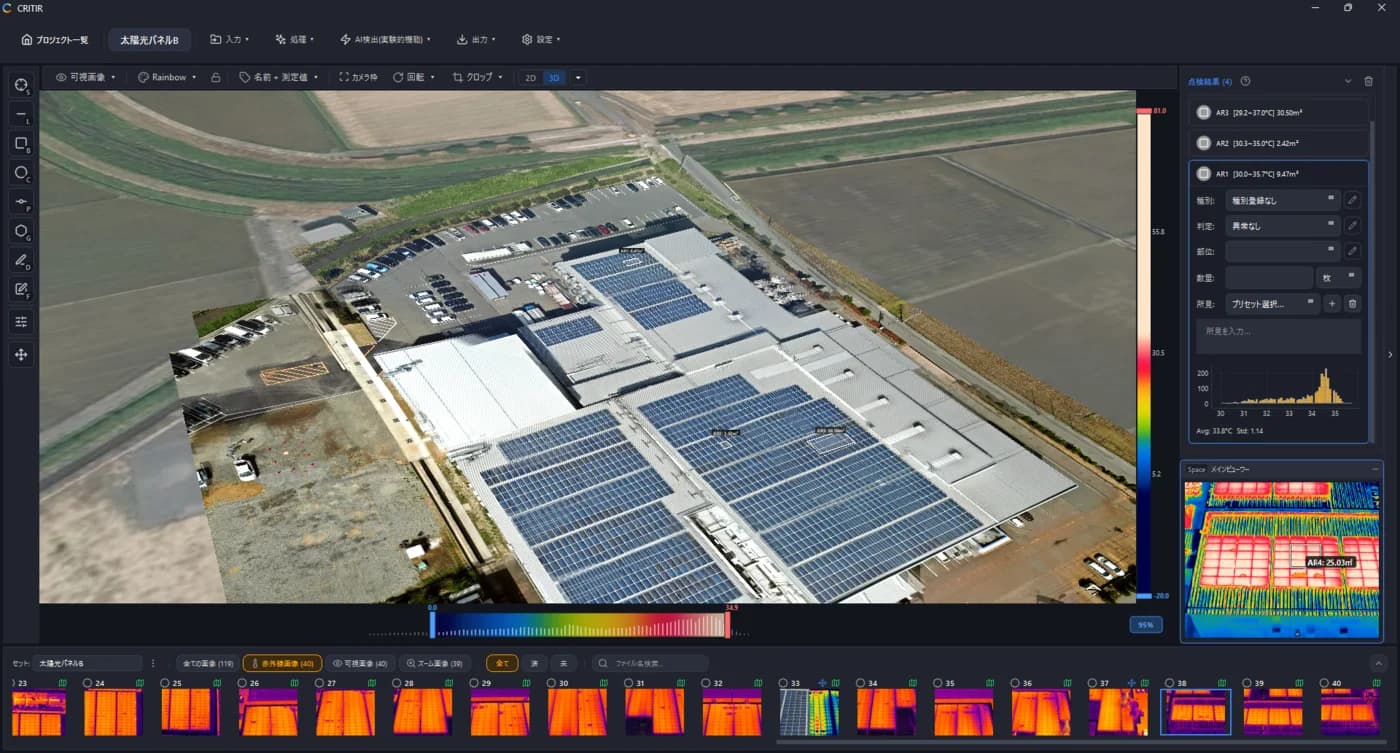
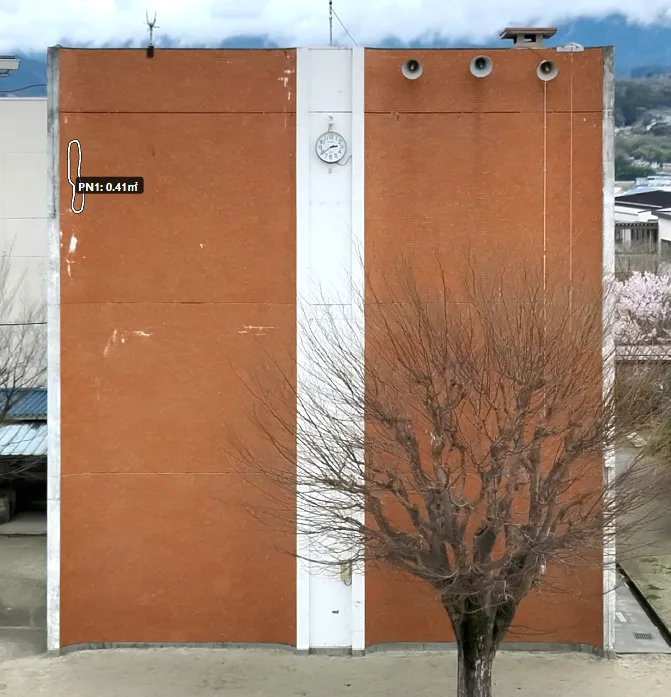
Another major strength of CRITIR is that it stitches images together and projects measurements onto every related view automatically.
Facade thermal inspections capture many overlapping images of the same surface, and the total image count quickly becomes large. In traditional analysis software, you have to check each image one at a time — a heavy burden, especially on large buildings.
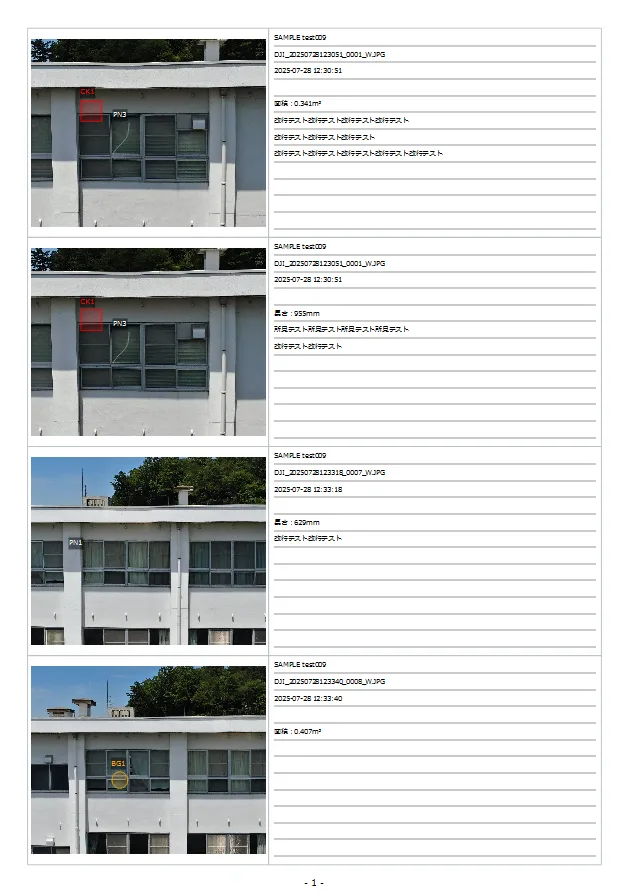
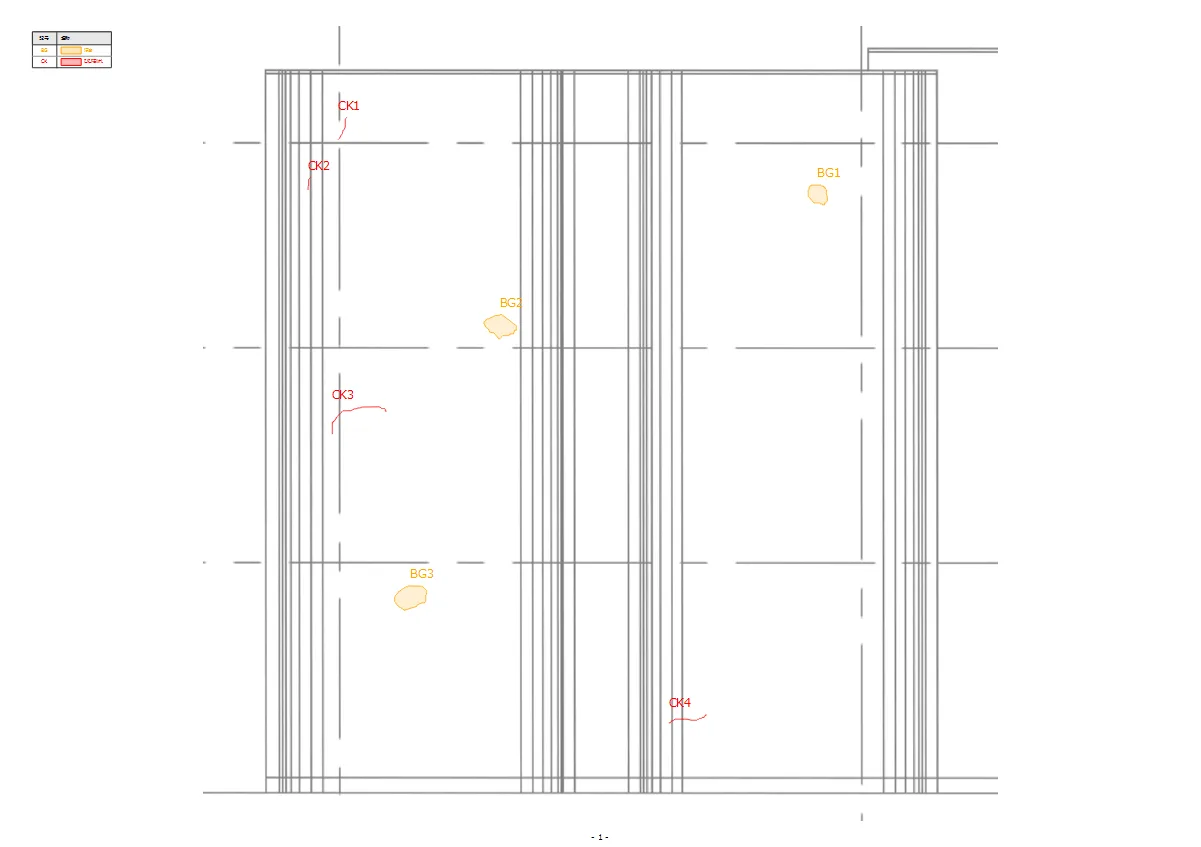
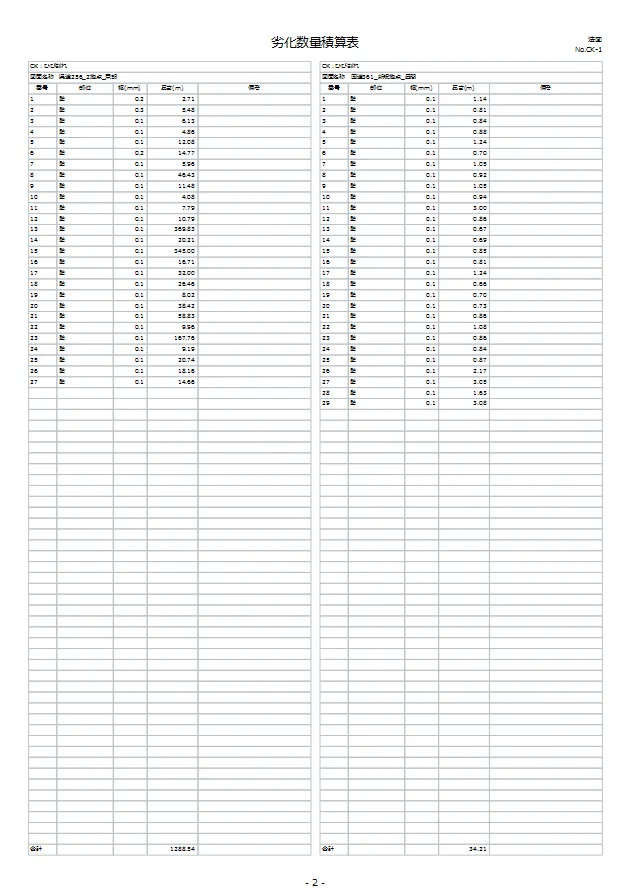
In CRITIR, a measurement placed on a single captured image is projected automatically onto:
- Other captured images (the same subject from different angles)
- The wall-facade orthoimage (a frontal projection stitched from the individual captures)
- CAD drawings and drawing images (registered design drawings)
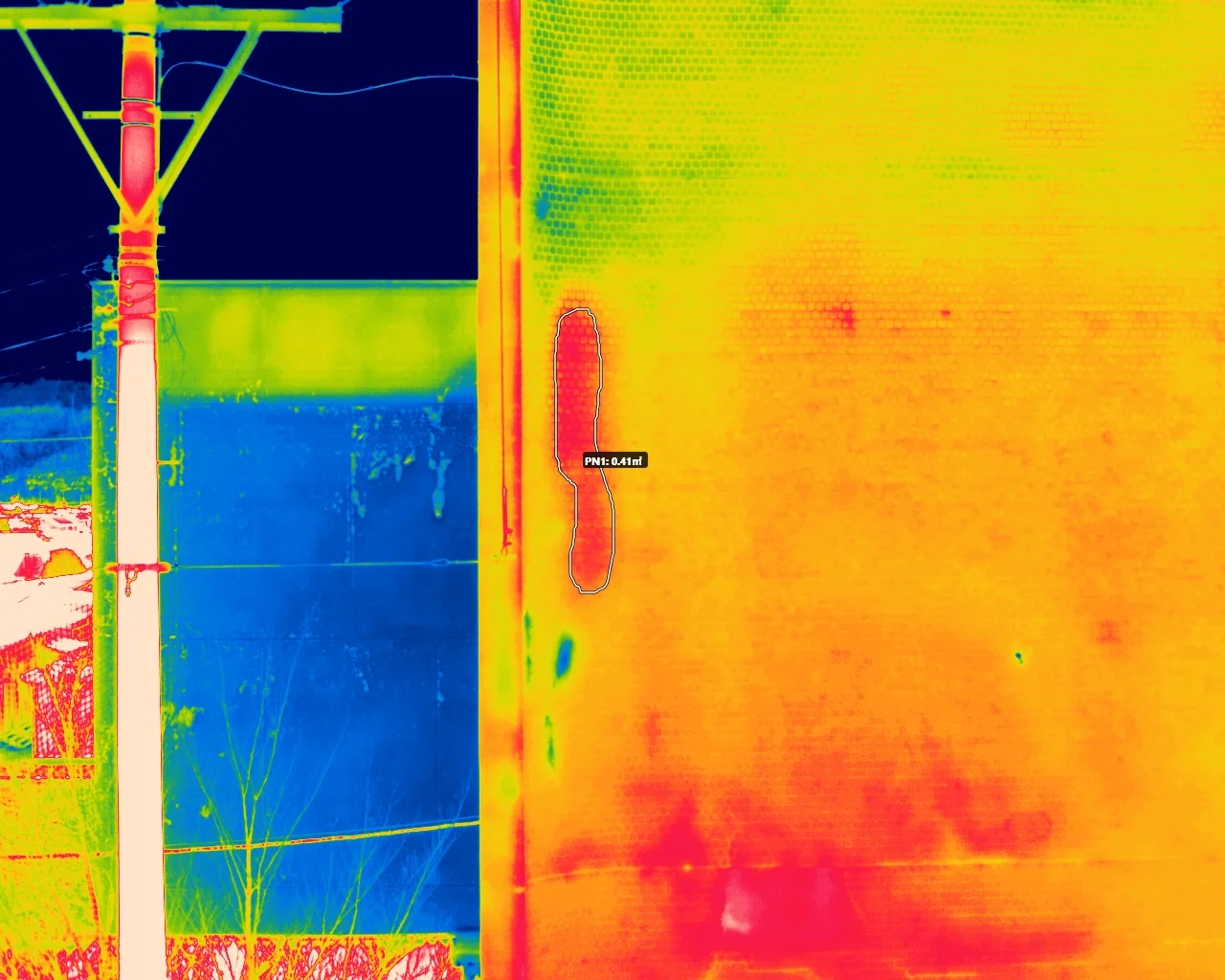
What this feature changes
- No more re-measuring the same spot across many images.
- Lower risk of missed measurements and recording errors.
- See the overall distribution of anomalies on the orthoimage while cross-referencing with individual images.
- Map defect positions directly onto CAD drawings, making repair planning smoother.
A measurement made once flows into every related view — this auto-projection is what makes CRITIR a major efficiency boost on real inspection sites.
Supported devices
CRITIR supports the following DJI cameras and drones (all verified):
| Model | Thermal resolution |
|---|---|
| Matrice 4T | 1280×1024 |
| Zenmuse H30T | 1280×1024 |
| Mavic 3T | 640×512 |
| Matrice 30T | 640×512 |
| Zenmuse H20T | 640×512 |
| Zenmuse XT2 (13mm / 19mm lenses) | 640×512 |
FLIR and HIKMICRO cameras are supported too, so cross-brand thermal analysis works in one place.
How CRITIR changes the inspection workflow
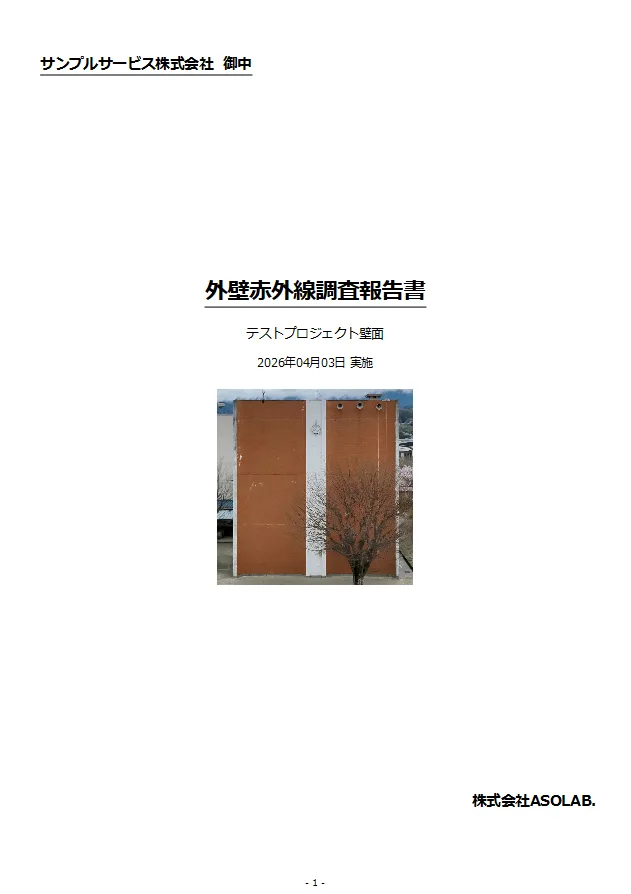
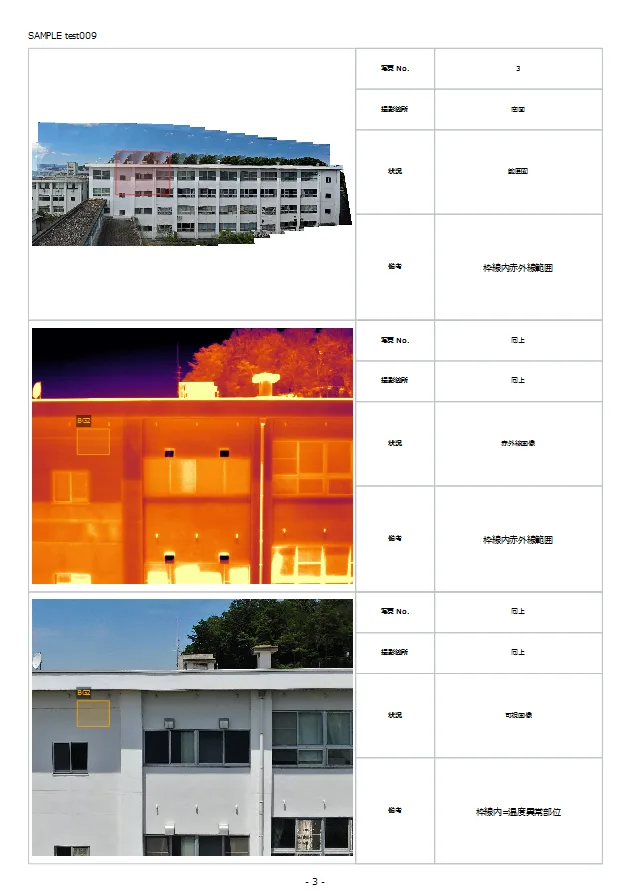
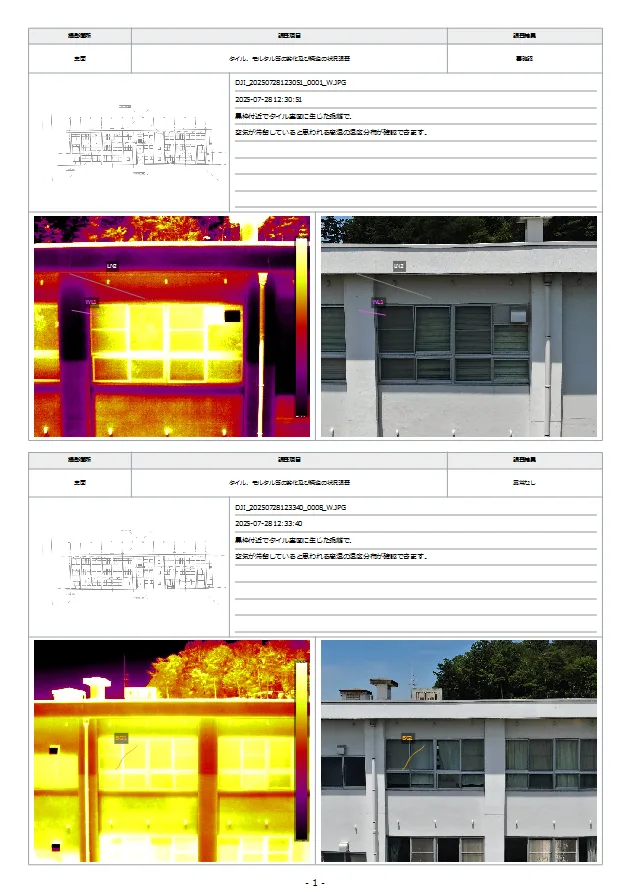
Using CRITIR shortens the inspection workflow:
Traditional: Capture → Convert images → Import into analysis software → Analyze → Build reports in Word/Excel
With CRITIR: Capture → Load into CRITIR → Analyze → Generate reports (all in one app)
Eliminating the conversion step and consolidating analysis and reporting in a single app can dramatically cut the hours required per project.
Frequently asked questions
- How do I convert DJI R-JPEGs to FLIR format?
- We also offer a managed conversion service. Please reach out via the contact form for details. If you specifically need to work inside FLIR Tools or FLIR Thermal Studio, you will need to convert — in that case, see CRITIR Convert (DJI thermal to FLIR converter) or the CRITIR Convert vs ThermoConverter comparison. That said, with an analysis app like CRITIR that reads DJI R-JPEGs directly, you can skip the conversion step entirely.
- What is the difference between DJI Thermal Analysis Tool and CRITIR?
- DJI Thermal Analysis Tool is DJI's free official tool, focused on simple per-image temperature checks. CRITIR adds direct reading of DJI/FLIR/HIKMICRO images, automatic facade orthoimage generation, measurement projection, and built-in report templates in one integrated analysis app.
- Which DJI drones does CRITIR support?
- CRITIR supports Matrice 4T, Zenmuse H30T, Mavic 3T, Matrice 30T, Zenmuse H20T, and Zenmuse XT2 (13mm / 19mm lenses). FLIR cameras (T860, T640bx, T560, etc.) and HIKMICRO cameras (SP60, SP60H) are also supported. See the list of supported devices for details.
- Is a trial of CRITIR available?
- Reach out via the contact form and we'll walk you through trial options for your use case. The quickstart guide covers the basic workflow.
- How much time does this save compared with using a converter?
- Skipping the conversion step entirely cuts what used to be tens of minutes per several-hundred-image batch down to zero. On top of that, since analysis, orthoimage generation, and reporting are all in a single tool, you also save the time spent switching between multiple apps.
Wrap-up
As DJI drones have become widespread, "convert DJI R-JPEGs to FLIR format" has become a major drag on inspection teams. By making the conversion step unnecessary, CRITIR connects capture, analysis, and reporting in one seamless flow.
- Read DJI / FLIR / HIKMICRO images directly — no conversion needed.
- Automatic facade orthoimage generation / Measurement projection / Built-in report templates.
- Developed by ASOLAB Inc. in Matsumoto, Nagano — a drone services company — based on hands-on experience running real inspections.
If you want to eliminate the time spent converting files or stop hopping between multiple apps, please reach out through the contact form. Feature details are also available in the documentation.
Published: April 14, 2026 · Last updated: April 14, 2026
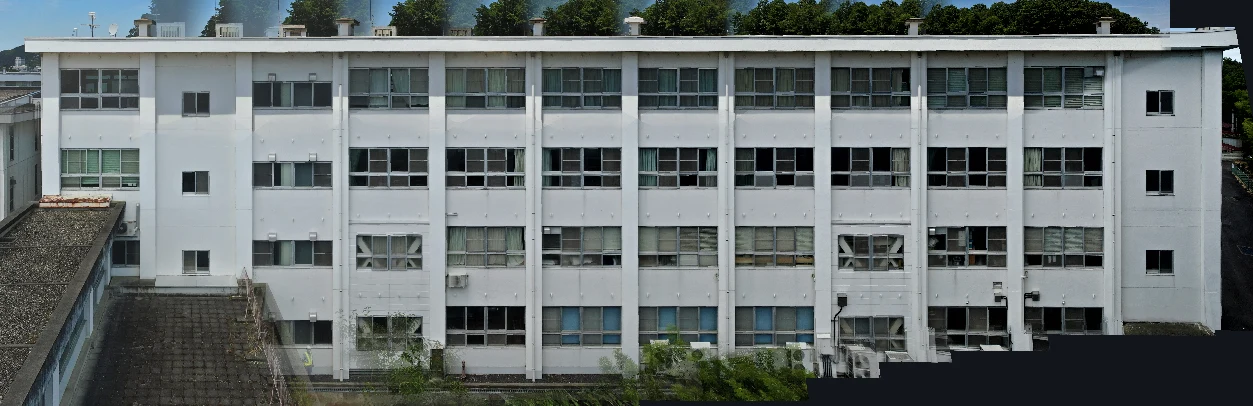
Generate facade and wall orthoimages automatically with CRITIR
A clear walkthrough of how facade and wall orthoimages are built from drone or ground-camera shots, and how CRITIR simplifies the process. Where RealityCapture (RealityScan) and Metashape require significant manual work for vertical surfaces, CRITIR automates the pipeline — including thermal orthoimages — to streamline facade inspections and defect surveys.
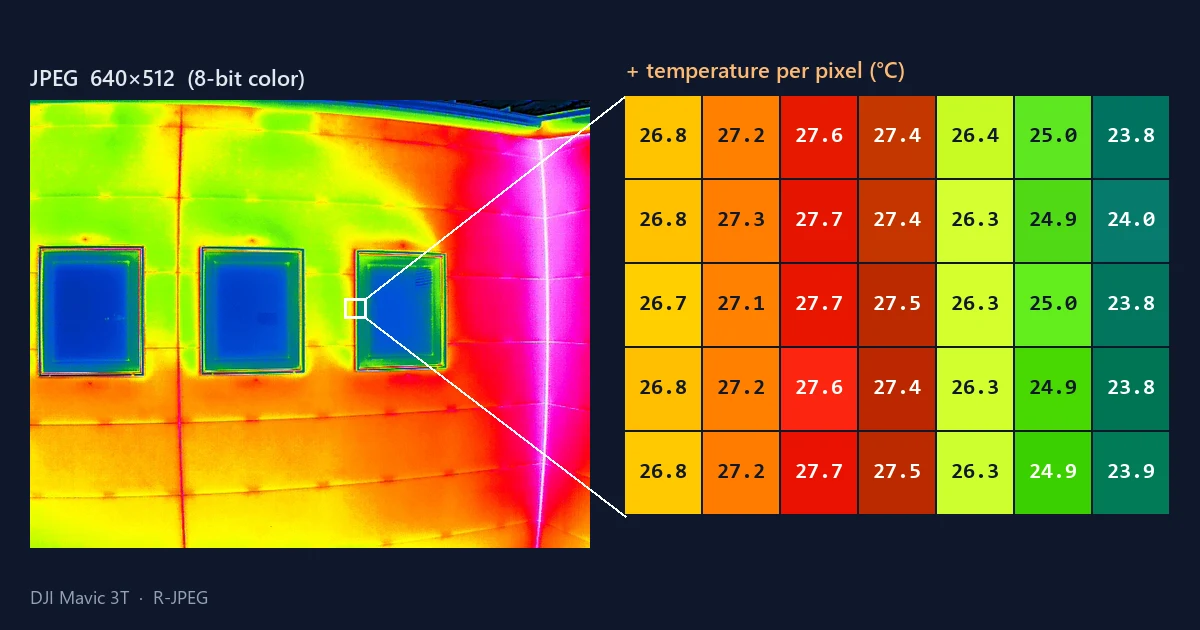
What is R-JPEG? Inside a drone thermal image — why the JPEG you see is not the temperature data
Open a DJI drone thermal image (R-JPEG) in an ordinary image viewer and all you get is a colored picture. This illustrated guide explains the three things packed into one file — the picture, the raw thermal data, and the calculation inputs — why you cannot read temperature from colors, why the JPEG and the thermal data can have different resolutions, how it differs from FLIR radiometric JPEGs, where the DJI Thermal SDK and DJI Thermal Analysis Tool fit, and what to know about High Res mode.
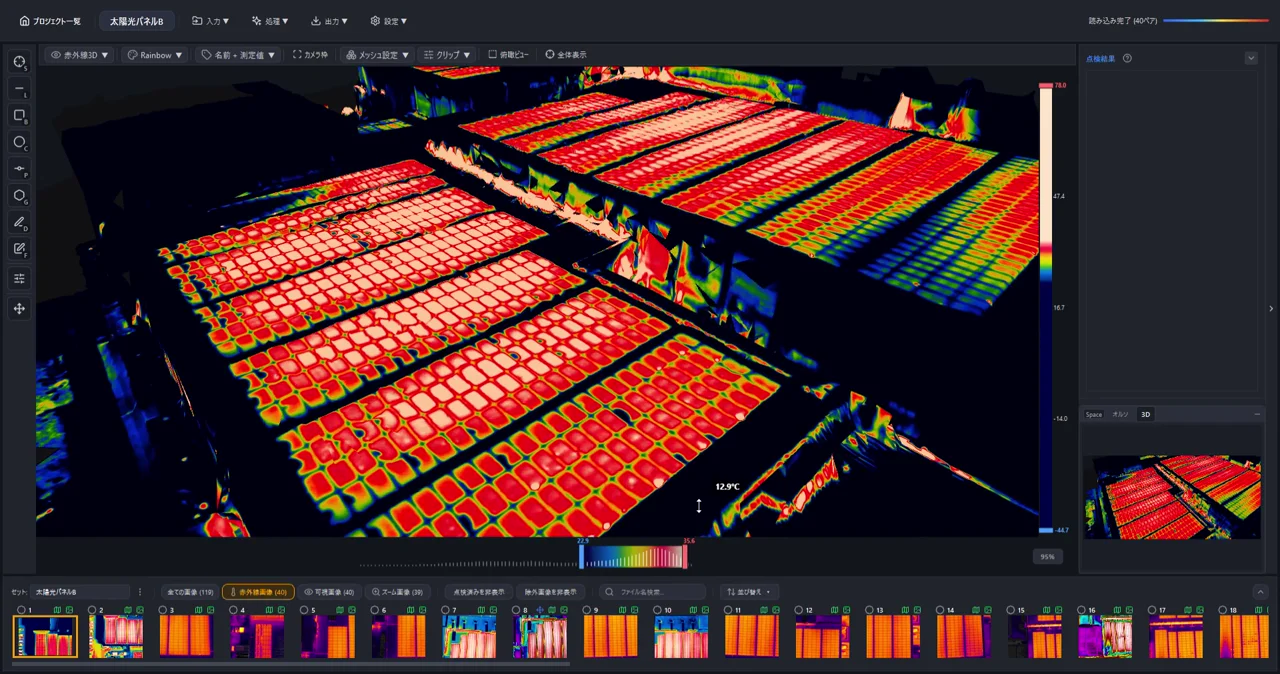
Generate 3D Models from Drone Photos — Build Temperature-Colored (Thermal) 3D Models with CRITIR
Learn how to automatically generate 3D models of buildings and structures from drone or ground-camera photos. With CRITIR, you get a visible-light 3D model plus a temperature-colored thermal 3D model, all linked to measurements and report output — streamlining inspection documentation for complex facades, equipment, and solar panels.